
Agent commissions, calculated right on every closing.
Commission Desk works out splits, caps and fees, emails each agent a clear pay stub, and sends year-end statements in one click. Your records stay in your own Google Drive.
- Works with any email that signs in with Google
- Two admin seats per brokerage
- Nothing to install
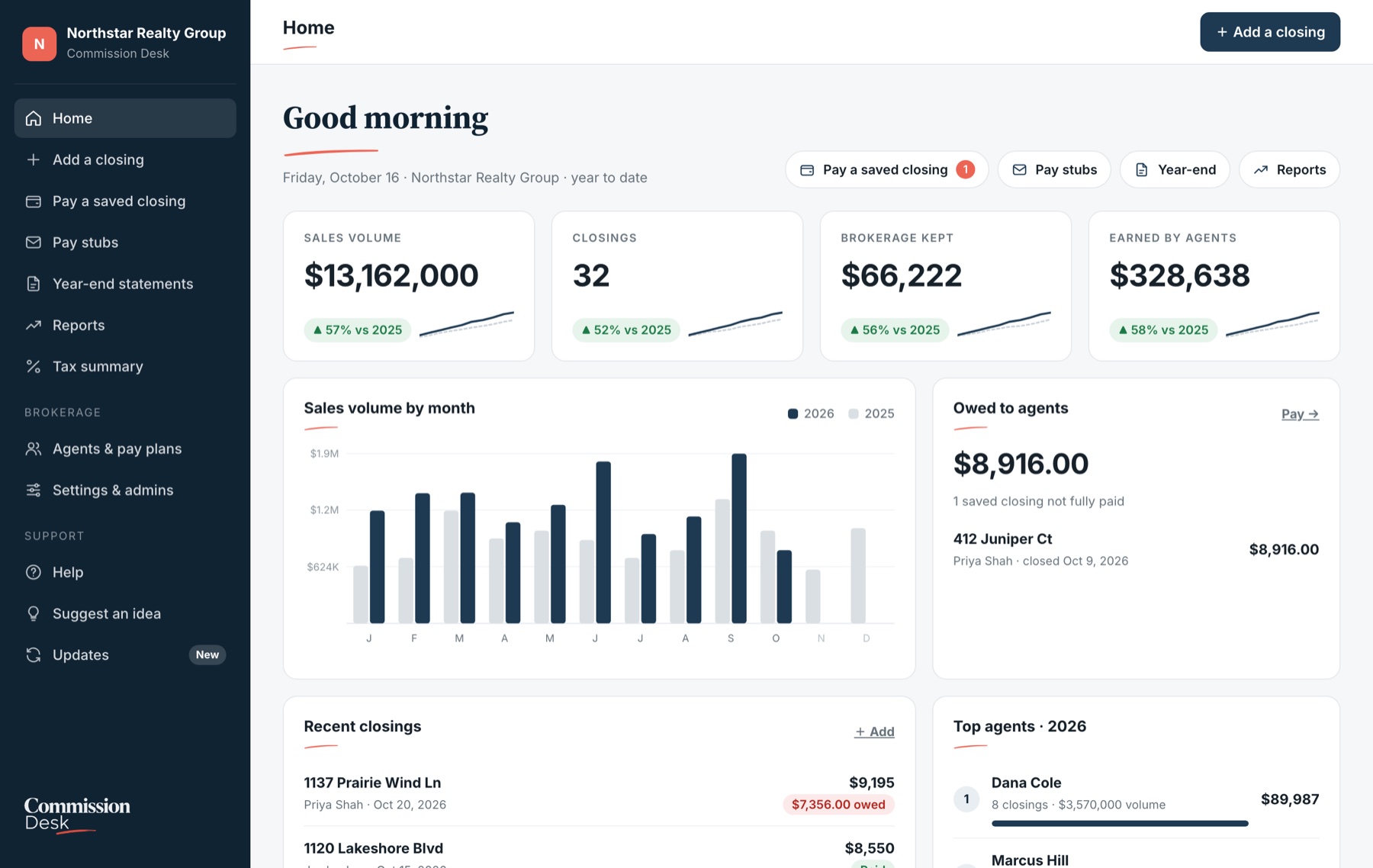
See it in two minutes.
Add an agent, enter a closing, record the payment and send a pay stub, start to finish.
Made-up sample brokerage. Your records stay in your own Google Drive.
Everything between the closing and the agent’s pay.
Set up each agent’s pay plan once. From then on, enter a closing and Commission Desk does the math, the paperwork and the follow-up.
Your splits, your way
Tiers, caps, splits: however you charge your agents.
Pay stubs agents understand
Each payment gets a stub branded for your brokerage, with the math worked out on your own pay plans. Review it, then send it from your own email.
Year-end statements in one click
Every agent’s closings and payments for the year, ready to send in one click. Duplicate sends are blocked automatically.
Reports, year over year
Sales volume, closings, brokerage kept and agent earnings by month and by agent, compared with last year or on their own.
Tax season, simplified
See what you paid each agent. Download the totals and every payment for your bookkeeper or QuickBooks.
Saved pay plans
More than one pay plan? You can have more than one pay plan for different agents.


Pay stubs agents understand.
Each payment gets a stub branded for your brokerage, with the math worked out on your own pay plans. Review it, then send it from your own email.
Sample stubs from a fictional brokerage.
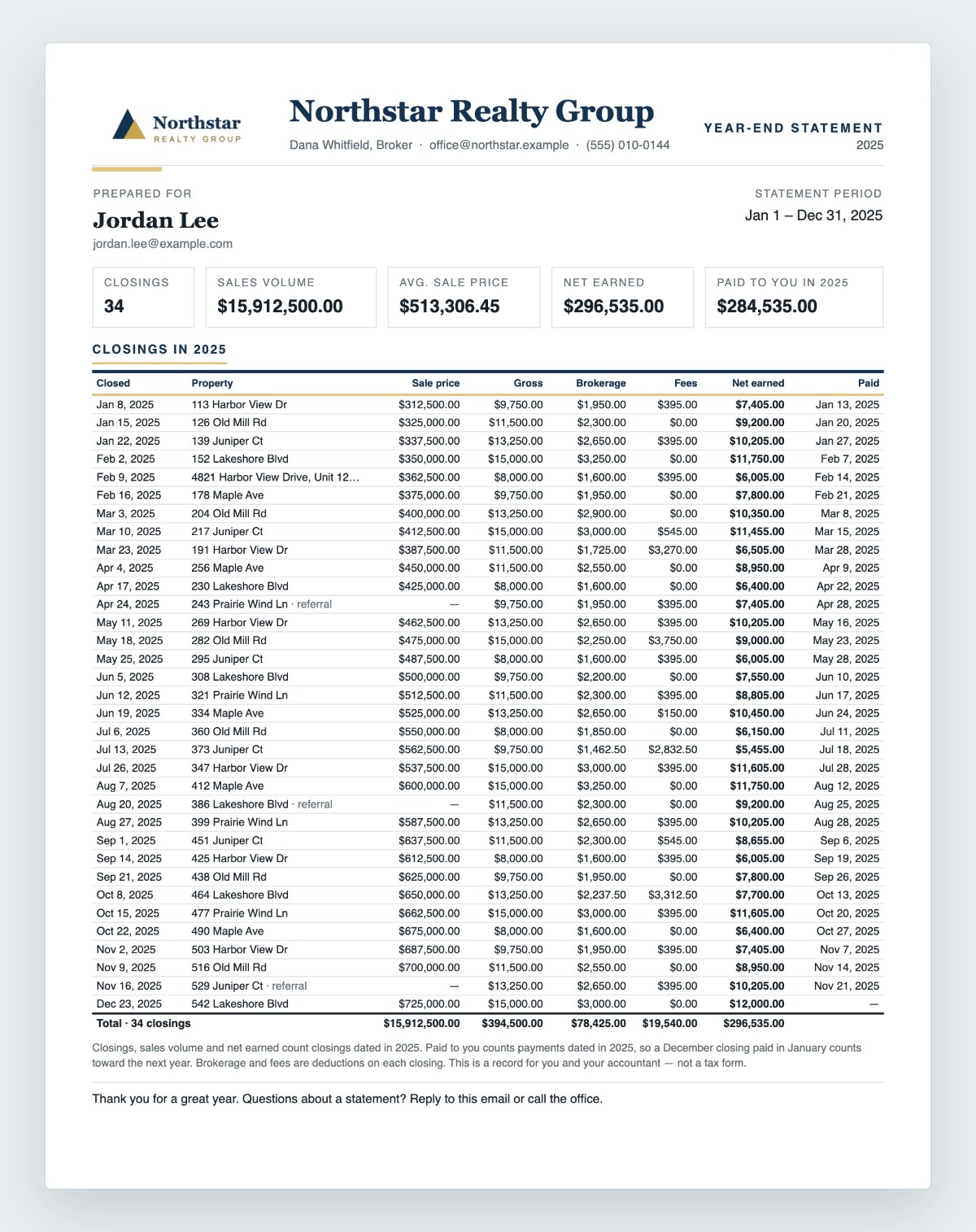
End-of-year reports for your agents’ records.
Every agent’s closings and payments for the year, ready to send in one click. Duplicate sends are blocked automatically.
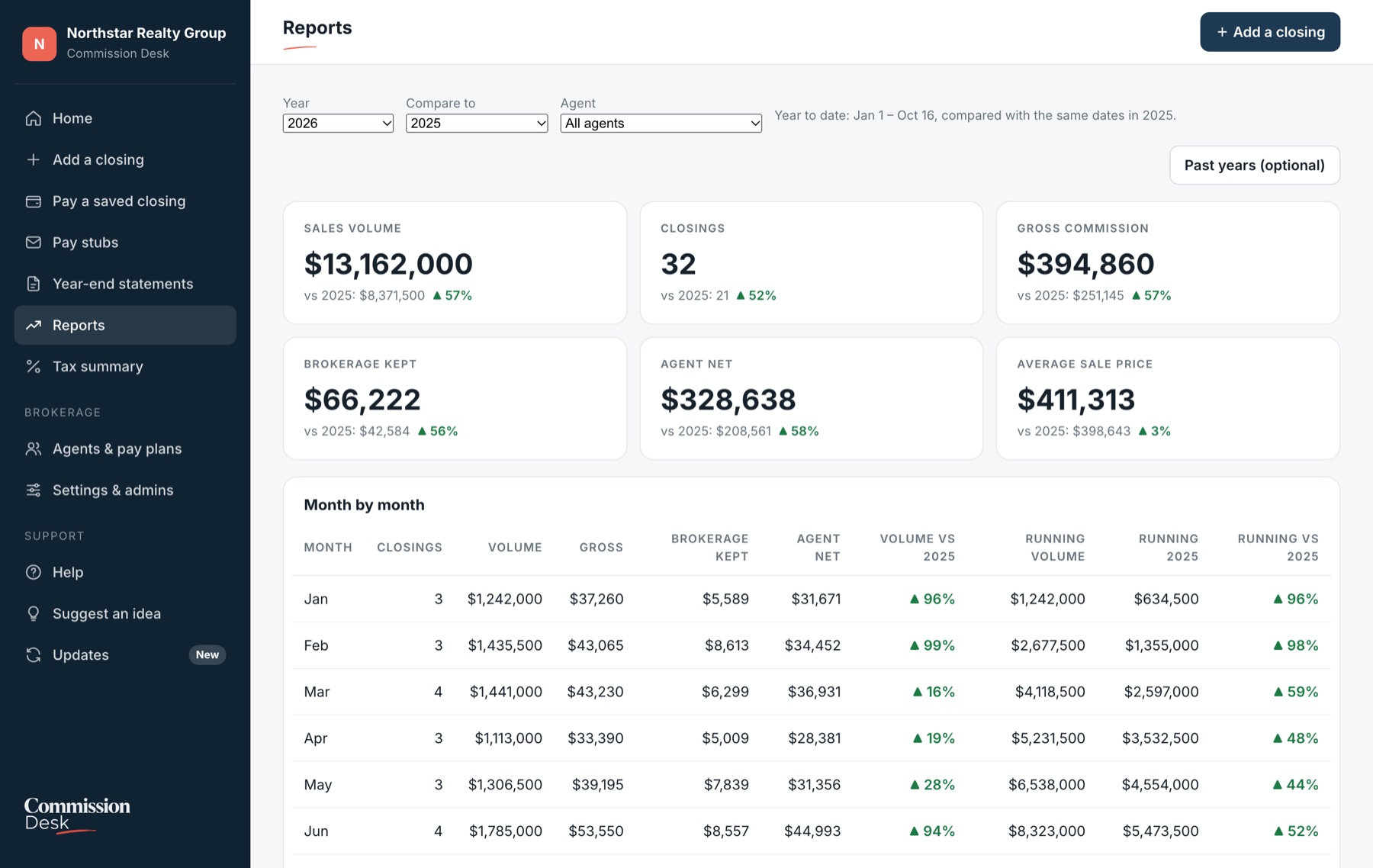
Know where the year stands.
Open Reports to see this year at a glance, or compare month by month with any earlier year.
- Year to date against the same dates last year
- Every agent’s closings, volume and net in one table
- Add totals from before you started, if you want the history
- Optional commission disbursement authorizations (CDAs) for title companies
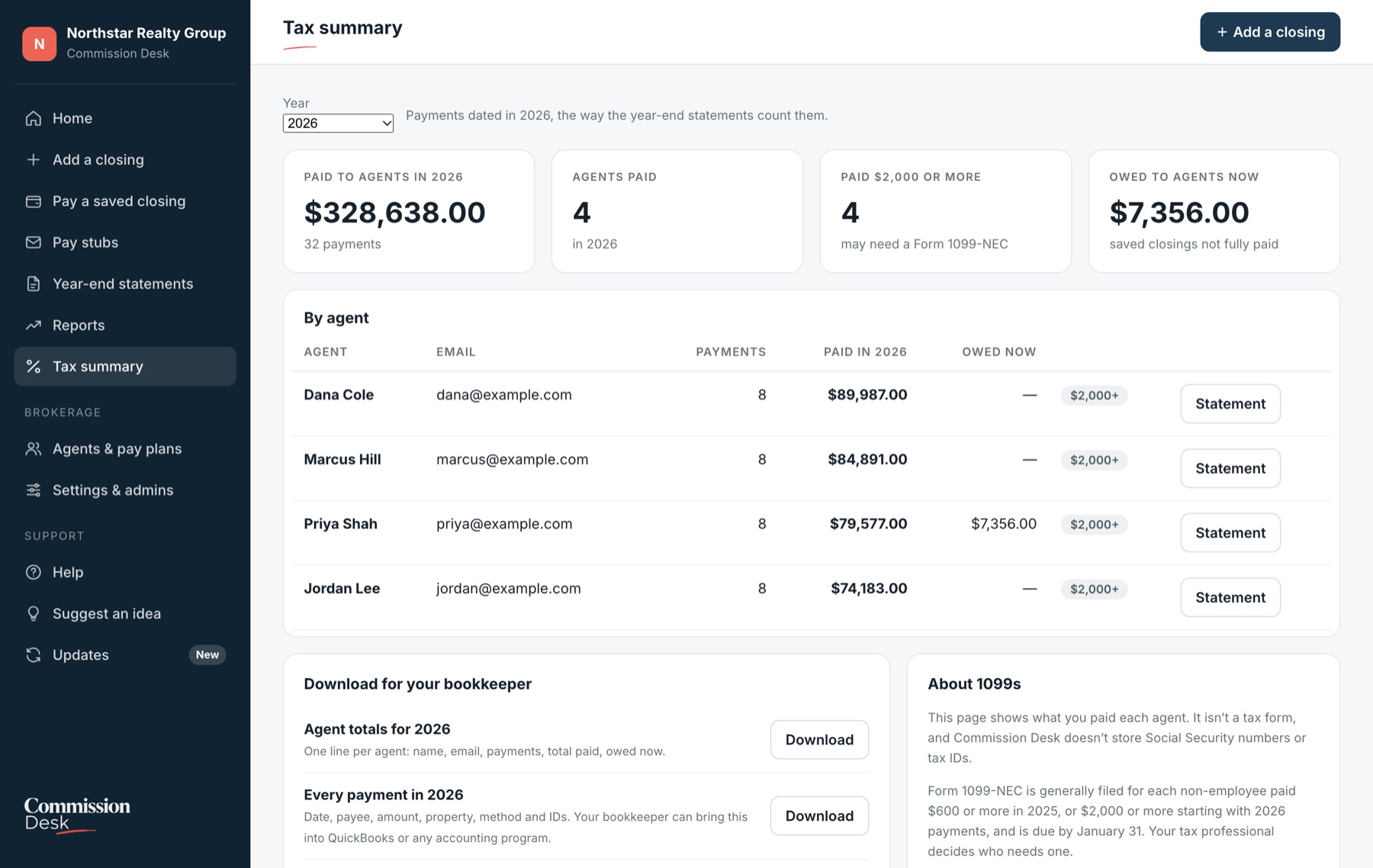
Tax season, simplified.
See what you paid each agent. Download the totals and every payment for your bookkeeper or QuickBooks.
It isn’t a tax form, and Commission Desk doesn’t store Social Security numbers or tax IDs.
Your records stay yours.
Commission Desk is built on Google. Your brokerage’s records live in a Google Sheets file in your own Google Drive, not on our servers.
In your Google Drive
Closings, agents, pay plans and payments are saved in your records file. We can’t open it, and if you ever leave, it stays with you.
Sent from your email
Pay stubs and statements go out from your own Google account, only when you click Send. They don’t pass through us.
Only your admins
Each license has two named admin seats. Every page checks the license first; anyone else sees “This account isn’t licensed.”
Up and running in an afternoon.
No software to install and no spreadsheet skills needed.
We set up your license
Tell us your brokerage name and your two admin emails. Any email works, as long as it signs in with Google.
Sign in and create your records
Commission Desk creates your brokerage’s records file in your Google Drive, then walks you through a short setup checklist.
Add agents, then closings
Enter each agent’s plan and starting balances, and you’re ready. Want help? We offer optional setup by screen share.
Simple pricing. One brokerage, one price.
No per-agent fees. No per-deal fees.
Commission Desk
or $690 per year (2 months free)
- Everything included: splits, caps, tiers and fees, pay stubs, year-end statements, Reports, Tax summary, CDAs
- Up to 30 active agents. Agents who leave don’t count.
- Unlimited closings, pay stubs and statements
- 2 admin seats
- Your records stay in your own Google Drive
- Updates and email support included
- 30-day money-back guarantee
We set it up with you by screen share: your pay plans, agents, starting balances and branding, ready for your first closing.
More than 30 active agents? Contact us for a quote.
Questions
Do my agents need to sign in?
No. Only your two admins sign in. Agents receive their pay stubs and statements by email.
Does it move money or run payroll?
No. You pay agents the way you do today. Commission Desk calculates what’s owed, records what you paid and sends the paperwork.
Is this tax or accounting software?
No. The tax summary shows what you paid each agent so your tax professional and bookkeeper have what they need. It isn’t a tax form, and Commission Desk doesn’t store Social Security numbers or tax IDs.
We don’t use Gmail. Will it work?
Yes. Any email address can sign in once it has a free Google sign-in, and you keep your own address. Pay stubs are sent from the Google account you sign in with.
What if our pay plans are unusual?
Commission Desk handles splits, caps, tiers, fees, referrals, monthly fees and one-time special terms on a single closing. Tell us how you pay agents and we’ll confirm it fits before you buy.
How much does it cost?
$69 a month or $690 a year per brokerage. That includes up to 30 active agents, 2 admin seats and unlimited closings, with no per-agent or per-deal fees. Setup help is optional, at $199.
See it with your own pay plans.
We’ll walk you through Commission Desk with an example closing from your brokerage.